
Clone Master
Introduction
Have you ever wanted to use two accounts of the same app on one smartphone? For example, you may want to use two WhatsApp accounts, manage separate social media profiles, or keep your personal and business accounts separate. This is where app cloning becomes useful.
App cloning is a technology that allows users to create a separate copy of an existing mobile application. With an app cloning tool, you can often run multiple instances of the same app on one device without constantly logging in and out.
In this beginner’s guide, we will explain what app cloning is, how it works, its benefits, common uses, and important safety considerations.
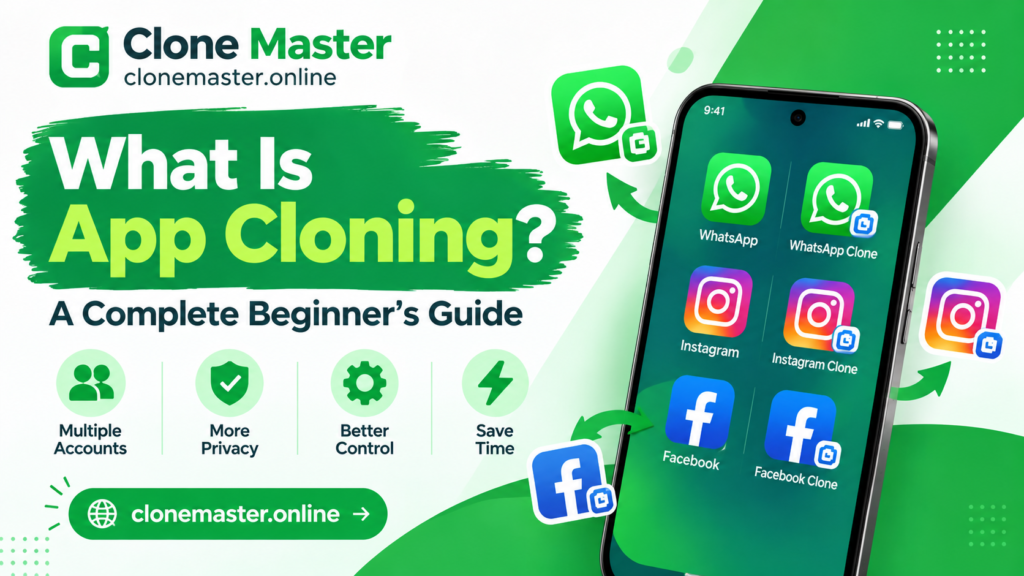
What Is App Cloning?
App cloning is the process of creating a separate instance or copy of an existing mobile application. This allows users to operate multiple versions of the same app on a single smartphone or tablet.
For example, if you have one WhatsApp account for personal communication and another for business, an app cloning feature may allow you to use both accounts on the same device.
Each cloned app can have its own login details, settings, and account information, depending on the app and cloning method.
It is important to understand that app cloning does not always mean copying the original app’s complete source code. Some tools create separate app environments, while others duplicate application packages. The technology depends on the method being used.
How Does App Cloning Work?
App cloning works by creating an additional environment in which another instance of an application can run.
When you clone an app, the cloning tool may create a separate space for the duplicated application. This allows the original app and its cloned version to operate independently.
Here is a simple explanation of the process:
- Choose an App: Select the application you want to clone from your device.
- Use a Cloning Tool: Open a compatible app cloning tool or your phone’s built-in dual-app feature.
- Create a Clone: Follow the instructions to create a separate instance of the selected app.
- Set Up Your Account: Open the cloned application and sign in using another account if supported.
- Use Both Apps: You can now switch between the original and cloned versions.
The exact process may vary depending on your smartphone, operating system, and the cloning tool you choose.
Why Do People Use App Cloning?
There are several reasons why appcloning has become popular among smartphone users. It can make everyday digital activities easier and help people manage multiple accounts.
Managing Multiple Accounts
Let’s explore some of its most common uses.
One of the biggest reasons people use app cloning is to manage multiple accounts on the same device.
For example, someone who uses social media for personal and professional purposes may want separate accounts. Appcloning can make it easier to access both without repeatedly switching accounts.Keeping Personal and Business Life Separate
Keeping Personal and Business Life Separate
Many people use the same smartphone for work and personal activities. Appcloning can help them maintain separate accounts for professional communication and personal conversations.
This can make account management more organized and convenient.
Managing Social Media Profiles
Social media users, influencers, and digital marketers sometimes manage multiple profiles.
Instead of logging out of one account and signing into another, they may use separate app instances to access different profiles.
Testing Applications
App cloning can also be useful for testing purposes. Developers and testers may need separate application environments to check different settings, accounts, or user experiences.
However, professional app testing often requires dedicated development and testing tools rather than ordinary cloning applications.
What Are the Benefits of App Cloning?
Appcloning offers several advantages when used correctly. Some of the most important benefits include:
- Multiple Accounts: Access more than one account of a supported application.
- Better Organization: Keep work and personal accounts separate.
- Easy Switching: Reduce the need to log in and out repeatedly.
- Convenience: Manage different profiles from one smartphone.
- Time Saving: Make account management easier for people who use multiple profiles.
- Flexible Usage: Use separate app environments for different purposes.
These benefits make appcloning an attractive option for people who regularly use multiple accounts.
Is App Cloning Safe?
App cloning can be safe, but it depends on the tool you use and the permissions it requests.
Not every appcloning tool is trustworthy. Some third-party applications may request unnecessary permissions or collect personal information. Others may contain harmful software or create security risks.
Before using an appcloning tool, consider these safety tips:
- Download applications from trusted sources, such as official app stores.
- Check app reviews and developer information before installation.
- Avoid tools that request unnecessary permissions.
- Never share your passwords with unknown cloning services.
- Keep your smartphone’s operating system and applications updated.
- Use strong passwords and two-factor authentication whenever possible.
You should also check the original application’s terms of service. Some applications restrict the use of unofficial cloning tools or multiple accounts.
What Is the Difference Between App Cloning and Dual Apps?
App cloning and Dual Apps are closely related, but they are not always the same thing.
Dual Apps is a feature available on some Android smartphones. It allows users to create a second instance of supported applications directly through the phone’s settings.
Appcloning, on the other hand, is a broader term that can include built-in smartphone features and third-party applications that create separate app environments.
For example, some smartphone brands offer built-in features such as Dual Apps, App Twin, or Dual Messenger. These features can provide a convenient way to run two accounts of supported applications.
The main difference is that Dual Apps is generally a built-in feature, while appcloning can refer to several different technologies and tools.
Can You Clone Apps Without Root?
Yes! Many modern Android smartphones support app cloning without requiring root access.
Some manufacturers provide built-in cloning features that allow users to create additional instances of supported applications.
There are also third-party cloning tools that work without root access. However, compatibility depends on the Android version, device manufacturer, and application being cloned.
You should always choose a reliable method and avoid modifying system files or installing unknown software.
Common Problems With App Cloning
Although app cloning can be useful, users may experience a few problems.
1. App Compatibility Issues: Some applications do not support cloned environments and may fail to work correctly.
2. Notifications Not Working: A cloned app may not receive notifications properly because of battery optimization or background restrictions.
3. Increased Battery Usage: Running multiple instances of an application can consume additional battery power.
4. Storage Problems: Cloned applications may require extra storage space for their data and files.
5. Login Restrictions: Some services may limit multiple accounts or detect unofficial app environments.
Understanding these limitations can help you choose the right cloning method for your needs.
Conclusion
App cloning is a useful technology that allows people to manage multiple instances of supported mobile applications on a single device. Whether you want to separate personal and business accounts, manage different social media profiles, or make your smartphone experience more convenient, appcloning can offer a practical solution.
However, choosing a reliable cloning method is important. Always consider security, privacy, compatibility, and the original application’s rules before creating a clone.
As mobile technology continues to improve, appcloning is likely to remain a useful feature for people who want more flexibility and control over their digital activities.
Stay connected with Clone Master for more helpful guides, app tutorials, software tips, and the latest technology updates.